Showing posts with label Topics. Show all posts

Aug 23, 2019

What is Raspberry Pi?

A: Have you ever heard about Raspberry Pi?
B: Yes! It is a fruit.
A: No, It is a small-sized computer.
B: What? 
A: Read below-↓↓↓↓↓

The Raspberry Pi is a small-sized single-board computer, developed in the United Kingdom, which can fit in your pocket. It plugs into the computer monitor or TV and uses a standard keyboard and mouse. 


In 2012, the first generation of Raspberry Pi was launched as 'Raspberry Pi 1'. A "Computer Module" was released on April 2014 for embedded applications. The latest Raspberry Pi model was released in June 2019 'Raspberry Pi 4 Model B',
with 3 RAM variant 1GB, 2GB and 4GB.

Read Also:[ Google's New Project- Soli ]

It is capable of doing everything you which you would expect from a desktop computer to do, from surfing internet to playing games, streaming high-definition videos, making a spreadsheet, word processing, etc. It was developed to promote teaching of basic computer science in schools and in many developing countries.

Aug 22, 2019

Google's New Project- Soli

"Your hands are the only interface you'll need"- Google

Soli is the new touchless radar-based sensing technology by Google. It is a small chip which may integrate in the future phones to make it touchless.

There was a time when you use buttons to use your phones. Then an era of touchscreen came. Now the future era may be based on Google's Soli where you can give the command to your phone just by creating a sensation in the air and this radar-based sensor will detect your motion.

Soli tracks and recognizes dynamic gestures expressed by fine motions of the fingers and hand. This tool is based on the virtual tool gesture. You can press it by tapping your fingers together. Rub your thumb against your index finger to turn on the virtual dial. Slide your thumb over your index finger to slide the stuff. This kind of interactions is being developed by GoogleThis chip is smaller than a 1 Rupee coin. Indeed it is ultra-compact 8mm x 10mm. Sensor and antenna are incorporated within it. 
Soli sensor technology works on electromagnetic waves in a broad beam. Objects within the beam scatter this energy, reflecting some portion back towards the radar antenna. The reflected signal, such as energy, frequency, and time delay capture rich information about the object's characteristics and dynamics, shape, size, and orientation. Soli chip can be integrated into IoT devices, computers, cars, smartwatches and of course in smartphones.

We may see the integration of Soli Sensor in Google's upcoming flagship smartphone- Google Pixel 4 XL

"I have just explained the upcoming sensor by Google i.e. Soli- a radar-based sensor in very simple language. Hope you guys understand it clearly."

Please Share and Comment !!!!!

Dec 16, 2018

Facebook Watch Available On Desktop and Lite App

The biggest online social media and social networking company 'Facebook' based in Califonia announced that it has more than 400 million active users on its video platform 'Facebook Watch'. It also announced the free video hub on both Desktop and Facebook lite application.
Facebook Watch
Facebook says "building a sustainable ecosystem for video creators is the best way to bring great content to the platform". It will also introduce Ad Breaks to 40 countries. Their initial Ad Breaks was to 5 countries.

In 2019, Facebook will expand the ways publishers and creators can make money on its platform. They say that they will bring Brand Collabs Manager to help match brands and creators for sponsorship deals. Apart from bringing Ad Breaks to more countries, they will also test better Ad Breaks placements in between live streams from gaming creators.

Also Read: [ Amazon Echo vs Google Home ]

Facebook Watch was launched in 2018 to every country, the platform opened to videos from all Pages, and they debuted lots of Facebook originals. They also started their slate of global shows with their first interactive game show Confetti expanding to six new markets this year. Facebook is looking forward to unifying the video experience across its platform. It claims that its users now consume video on multiple devices at different places.

Aim:
Facebook Watch has been created for people to find videos that matter to them, video creator they want to see and connect, and other fans that they want to build relations.

Here are the countries where Facebook introduced Ad Breaks:
Argentina,Australia,Bangladesh,Belgium,Bolivia,Chile, Colombia, Denmark, Dominican Republic, Ecuador, El Salvador, France, Germany, Guatemala, Honduras, Hong Kong, India, Indonesia, Ireland, Italy, Jordan, Malaysia, Mexico, New Zealand, Norway, Peru, Portugal, Singapore, South Africa, South Korea, Spain, Sweden, Taiwan, Thailand, The Netherlands, The Philippines, Saudi Arabia, United Arab Emirates, United Kingdom and United States.

Also Read: [ Android's Project Treble ]

"I have just explained about the new video platform by Facebook-Facebook Watch. Hope you guys understand. Please guys share, comment and subscribe."

Dec 12, 2018

Amazon Echo vs Google Home

 Amazon Echo vs Google Home

Here is the quick comparison between the Amazon Echo and the Google Home. Five points highlight below will make you decide which is better:

As you know that Google uses 'Google Assistance' in its Google Home while Amazon uses 'Alexa' in its Echo for voice assistance.

Speaker:

By default, the speakers by the Google sound better. But the 3.5mm output jack on Amazon's Echo sounds better after little configuration. Alexa is also available on more third-party speakers than Google Assistant.

Sound Quality:

The 'Home' delivers much better and richer sound quality than the Amazon's Echo. However, both the Echo and the Google Home can be used as Bluetooth speakers for your phone, and both support multi-room audio.

Compatible:

Both devices support iHeartRadio, Pandora, Spotify, and TuneIn. The Echo also supports Amazon Music, while the Home supports Google Play Music and YouTube Red.


Wake Up Options:

The Echo has many wake up options like-  "Alexa" "Amazon" "Echo" in the female voice, believe me, its female voice is very pleasant. Whereas Google Home only has one wake up option, "Hey Google," but it now has both male and female voices. 

More helpful:

Alexa uses Wikipedia for queries related to general knowledge, while Google's home search comprehensively. Both can do things like spell words, set timers, and read the news. Google has superior multi-user functions.

Which one to buy?

I will recommend you should go for the Amazon Echo for the two reasons- First, it has impressive sound surrounding in the 3.5mm jack and secondly, Alexa is more refined than Google Assistant.

Buy Amazon Echo in Black Color: https://amzn.to/2LesDqr

Buy Amazon Echo Dot: https://amzn.to/2SHuTch

I have just explained the five difference between Amazon's Echo and Google's Home. Hope you guys understand. Guys share, comment and subscribe

**Do let me know which one you choose in the comment.***

Nov 21, 2018

Android Versions

Android's Journey from 1 to 9 😊

"Here is the journey of Google's Android version starting from Android 1.0 and going all the way to Android 9 Pie with some important features."

Android 1.0:

Android made its debut in 2008 with Android 1.0 without having deserts as a codename. Things were very basic then and the software did not include Google apps as bloatware. 

1.0

Android 1.5: 'Cupcake'

With basic refinement in early 2009, Android 1.5 Cupcake released and the tradition of naming Android versions was born. It includes the first on-screen keyboard. It had the first-ever option for video recording.
1.5

Android 1.6: 'Donut'

Android 1.6-Donut, rolled out in late 2009. It filled the loopholes of the Cupcake. It also added support for CDMA networks.
1.6

Android 2.0: 'Eclair'

Android 2.0 Eclair, rolled out in a couple months after Donut. The release's very transformative element was the addition of voice-guided navigation and real-time traffic information which is something previously unheard in the smartphone world. It also brought live wallpapers, speech-to-text function, and pinch-to-zoom in and out capability.
2.0

Android 2.2: 'Froyo'

Four months later, Android 2.2-Froyo arrived. It includes some important front-facing features and Voice Actions, which allowed you to perform basic functions by tapping an icon and then speaking a command.
2.2

Android 2.3: 'Gingerbread'

Gingerbread Released in 2010 and just the upgrade of 'Froyo'.
2.3
[Also read: Rooting in Android ]

Android 3.0: 'Honeycomb'

Released in 2011. I was truly a tablet-centric version of Android. The software was the first to use on-screen buttons for Android's navigation commands.
3.0

Android 4.0: 'Ice Cream Sandwich'

It also released in 2011. It was a little inspired from the previous version. It is not wrong to say that it was the core of the android's modern design.
4.0

Android 4.1 to 4.3: Jelly Bean

It gave us expandable and interactive notifications, an expanded voice search system and a more advanced system for displaying search results in general, with a focus on card-based results that attempted to answer questions directly. Its feature of keeping the widget on lock screen attracted many people.
4.1 to 4.3

Android 4.4: 'KitKat'

Released in late 2013. It was the first version having integration of "Ok Google" support but worked only when your screen was on and you were either at your home screen or inside the Google app.
4.4

Android 5.0: 'Lollipop'

Released in late 2014. The Recent Apps adopted the card style. It included truly hands-free voice control via the "OK, Google" command.
5.0

Android 6.0: 'Marshmallow'

It was the minor update of the lollipop. It was popular because it supports fingerprint readers and USB-C.
6.0

[ Also Read: Android's Project Treble ]

Android 7.0: 'Nougat'

Google's Android Nougat released in 2016. It offered native split-screen mode and picture-in-picture (PiP) mode.
7.0

Android 8.0: 'Oreo'

Android Oreo added a variety of niceties to the platform, including a native picture-in-picture mode, a notification snoozing option and notification channels that offer fine control over how apps can alert you.
8.0

Android 9.0: 'Pie'

Android 9 entered the world in early August 2018. Primarily focused on AI (Artificial Intelligence), gesture commands and Android's battery saver mode.
9.0
[ Also Read: Why Windows Phones Failed? ]

"I have just explained the various version of Android. Hope you guys understand. Don't forget to share, comment and subscribe. I need your support."

Nov 13, 2018

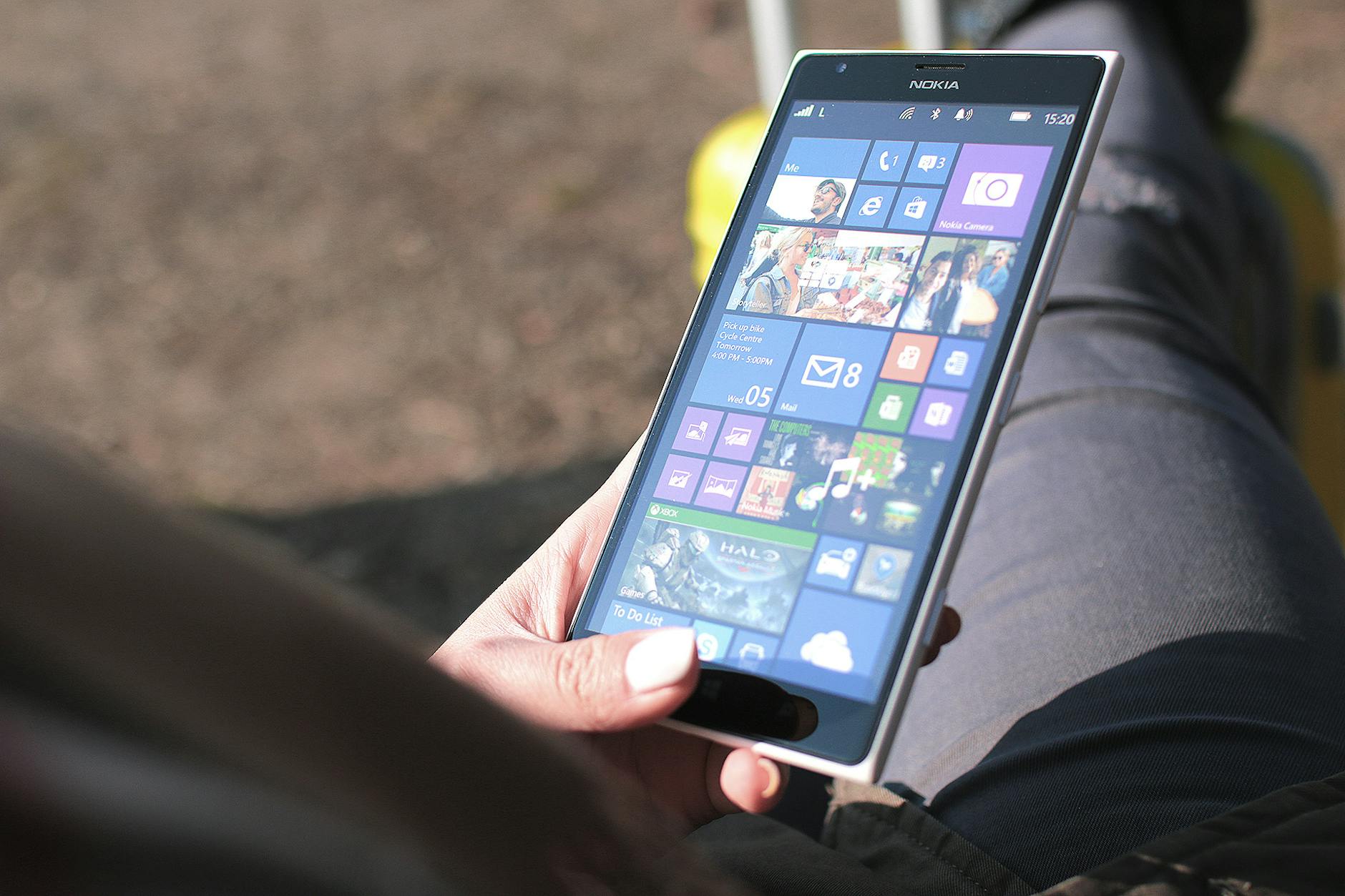
Why Windows Phones Failed?

Windows Phone in 2018?

Windows is PC market leader but in the smartphones market, it is unable to keep that position. Windows failed in smartphones due to its own mistakes and late acquisition. 
windows phone

Once the windows OS (operating system) in phones was the global leader followed by Blackberry and Symbian OS. But the condition got changed in 2007 after the launch of Apple's first iPhone. 

iPhone came with multi-touch capacitive touchscreen and the ios software was feature-loaded and finely tuned according to that time. On the other hand, Android was open source. It was compatible with numerous devices and was available in every price segment whereas Windows was not open source. Companies had to give some royalty to the windows to use their OS. Also, it ran on the keypad when android and ios adopted touchscreen. The software was boring whereas android and ios look enough modern at that time. They also attracted the attention of developers. One of the reasons for the failure of windows was not getting the good response from third-party apps developers. Because of the less active user, developers were less interested in working with Windows operating system. In this way, the huge market of windows phones went into the hand of ios and Android. 

Windows realized its mistake too late when the majority of the market was captured by android and ios. Last windows phone was Microsoft Lumia 950, launched in 2015 but failed to leave its mark and in providing stability to windows in the smartphone market.

Also read: 

Rooting in Android 
History of PUBG 
Bottleneck 

I hope all my blog visitors easily understand the topic "Why Windows Phones Failed?" in light english.

Nov 9, 2018

Rooting in android

What is android rooting?

Rooting means access of admin user, sometimes called superuser. Smartphone companies lock this feature with certain limitation for the normal user for security purposes. Breaking this shield of limitation and getting admin's right is rooting.

Why companies lock this feature?
Smartphone companies lock this feature because they do not want the users to get all the authority. Sometimes during rooting phones get damaged and companies have to bear all the loss of the user. If the phone is in warranty, then companies have to give new phones to its user. That's why they lock this feature. 
Now smartphone companies started mentioning that rooting can void their smartphone's warranty.

What can a user do with their android by rooting?
First of all, a user can give all new look to its existing android
- Can remove the bloatware
- Can change the firmware
- Can improve the performance by relocation cache
- Can increase or decrease the clock speed
- Can enjoy the feature of upcoming android in existing android

Rooting is good or bad?
In my opinion, if you know rooting and are a tech-savvy then it is good for you. If you forget any step of rooting then your phone will be dead and you have to visit service center.

"I have just explained the complicated topic that is 'Rooting in Android'. Hope you guys understand. Don't forget to share, comment and subscribe. I need your support."

Nov 6, 2018

Bottleneck

What is a bottleneck? 
How does it affect your computer and smartphone?


In simple words, a component in the computer or smartphone which slows down the performance of the entire system is called a bottleneck.

Suppose you have a computer or smartphone with powerful components and still you are not getting the best performance. This is because of the bottleneck. 


Suppose you have a powerful PC which has the fastest i7 core, best graphics card and best ram (8/16 GB) and still it lags and gives a slow performance, the reason might be Hard disk. The speed of the hard disk is not so fast as other components like processor, GC, ram to provide information to them on time. Maybe it does not meet the quality of other components. So here bottleneck is the hard disk.

Hard disk is not the reason for bottleneck every time. It also occurs due to processor, GC, ram. 

[ Also Read: Why Windows Phone Failed? ]

Now take another example, if a PC has a high-end processor and the ram is only 2/4 GB. It is obvious that it will lag the most😣. So here ram is the bottleneck. Any component in the computer can create bottleneck, if it does not meet up the quality of other.

[ Also Read: Samsung Galaxy S10 ]

It is impossible to get rid of a bottleneck. Even having a system with advanced component, there will be a component which is either underpowered or overpowered which will create bottleneck in your system.


"I think all of us have experienced Bottleneck once. Hope you guys understand why our PC or Smartphone lags. Don't forget to share, comment and subscribe."